Skip to content

7 Days To Die 托管

Open-world zombie survival: craft, build, and survive the horde every seventh night.

Cloudflare Spectrum 防护。文件、控制台与备份都在你的面板中。

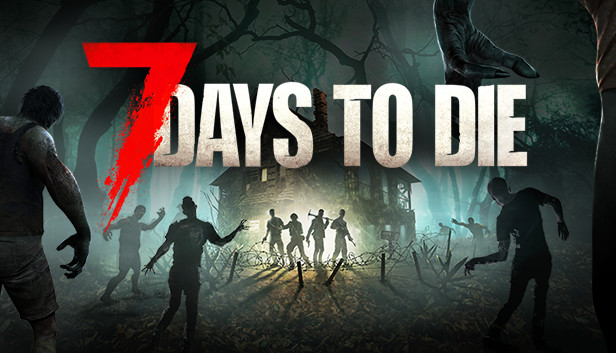
7 Days To Die artwork

打造属于你的风格。

  • A private 7 Days To Die server for your squad with your own rules, mods and wipe schedule.
  • A public community server that runs 24/7 without renting bare metal.
  • Custom-modded 7 Days To Die gameplay: full file access means any mod or plugin loads.
  • Event servers spun up for a weekend tournament, deleted when it ends.

Squad server

A private 7 Days To Die world for your friends, with resources chosen for the game.

Modded community

Stack extra RAM and CPU for mod-heavy servers and larger player counts.

Weekend events

Spin up tournament servers on demand, delete them when the event ends.

Running a 7 Days To Die server

Default ports, the files you'll edit, and what to know before you start. On Enzonic, the panel shows the exact ports assigned to your server.

Default ports

  • 26900/TCP and UDP (game)
  • 26901-26902/UDP

Minimum RAM on Enzonic: 4 GB

Configuration

  • serverconfig.xml: server name, password, world, difficulty, max players
  • Saves/serveradmin.xml: admins, bans and permissions

Good to know

  • Generated worlds (RWG) take a while to build on first start, and bigger map sizes need more RAM.
  • Major game updates usually need a new world; check the patch notes before updating a long-running save.

选择您的服务器规格

即时自动化部署 • Cloudflare Spectrum DDoS 防护 • 随时升级或取消
Game Servers
7 Days To Die

木头

基础服务器和原版多人游戏。

$2.62/mo

常规价格 $3.49首月 25% 折扣,之后 $3.49/mo

选择 木头
  • 4 GB RAM
  • 400% CPU
  • 15 GB NVMe SSD
  • 4 份备份 · 1 个数据库 · 3 个端口
  • 每天 20 条 Enzica AI 消息

黑曜石

面向 100+ 大型社区的网络级硬件。

$9.74/mo

常规价格 $12.99首月 25% 折扣,之后 $12.99/mo

选择 黑曜石
  • 16 GB RAM
  • 1000% CPU
  • 90 GB NVMe SSD
  • 19 份备份 · 8 个数据库 · 10 个端口
  • 每天 640 条 Enzica AI 消息

只要您的方案保持有效,月费就会锁定不变。不会突然涨价。

免费方案 · 3.5 GB RAM200% CPU、5 GB NVMe。无需信用卡。玩家加入时自动启动。

免费启动服务器打造你的方案
新功能:Flex,按分钟付费适合周末活动的托管。场次之间可暂停运算计费。
了解 Flex

从设置到你的第一次游玩。

在面板中选择你的软件、可用地区与方案。

  1. 打开面板并选择你的软件模板。
  2. 选择可用地区与你的项目所需的资源。
  3. 创建服务器,然后在面板中管理文件与启动设置。
打开服务器设置

更靠近你的玩家。

查看当前地区,并从你的网络测试延迟。选择靠近你社区的可用容量。

由你的浏览器直接测量·
7 个服务器地区

开始之前。

Choose a paid plan with the resources 7 Days To Die needs. First-month and renewal prices are shown separately on the pricing page.



