Skip to content

7 Days To Die ホスティング

Open-world zombie survival: craft, build, and survive the horde every seventh night.

Cloudflare Spectrumによる保護。ファイル、コンソール、バックアップはパネルで管理。

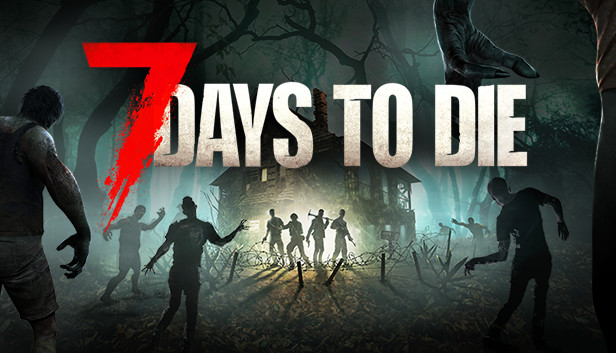
7 Days To Die artwork

自分好みにカスタマイズ。

  • A private 7 Days To Die server for your squad with your own rules, mods and wipe schedule.
  • A public community server that runs 24/7 without renting bare metal.
  • Custom-modded 7 Days To Die gameplay: full file access means any mod or plugin loads.
  • Event servers spun up for a weekend tournament, deleted when it ends.

Squad server

A private 7 Days To Die world for your friends, with resources chosen for the game.

Modded community

Stack extra RAM and CPU for mod-heavy servers and larger player counts.

Weekend events

Spin up tournament servers on demand, delete them when the event ends.

Running a 7 Days To Die server

Default ports, the files you'll edit, and what to know before you start. On Enzonic, the panel shows the exact ports assigned to your server.

Default ports

  • 26900/TCP and UDP (game)
  • 26901-26902/UDP

Minimum RAM on Enzonic: 4 GB

Configuration

  • serverconfig.xml: server name, password, world, difficulty, max players
  • Saves/serveradmin.xml: admins, bans and permissions

Good to know

  • Generated worlds (RWG) take a while to build on first start, and bigger map sizes need more RAM.
  • Major game updates usually need a new world; check the patch notes before updating a long-running save.

サーバーサイズを選択

即時自動デプロイ • Cloudflare Spectrum DDoS保護 • いつでもアップグレード・解約可能
Game Servers
7 Days To Die

木材

基本的なサーバーとバニラのマルチプレイヤーに。

$2.62/mo

通常価格 $3.49初月25%オフ、その後$3.49/mo

選ぶ 木材
  • 4 GB RAM
  • 400% CPU
  • 15 GB NVMe SSD
  • バックアップ4件 · データベース1件 · ポート3本
  • Enzica AIメッセージ 1日20件

黒曜石

100人以上の大規模コミュニティ向けのネットワーク級ハードウェア。

$9.74/mo

通常価格 $12.99初月25%オフ、その後$12.99/mo

選ぶ 黒曜石
  • 16 GB RAM
  • 1000% CPU
  • 90 GB NVMe SSD
  • バックアップ19件 · データベース8件 · ポート10本
  • Enzica AIメッセージ 1日640件

プランが有効な間、月額料金は固定されます。予期しない値上げはありません。

無料プラン · 3.5 GB RAM200% CPU、5 GB NVMe。カード不要。プレイヤーが参加すると自動で起動します。

無料でサーバーを開始プランをカスタマイズ
新登場:Flex、分単位の課金週末のイベント向けのホスティング。セッションの合間は計算リソースの課金を一時停止できます。
Flexを見る

セットアップから最初のセッションまで。

パネルで、ソフトウェア、利用可能なリージョン、プランを選択してください。

  1. パネルを開き、ソフトウェアのテンプレートを選択します。
  2. 利用可能なリージョンと、プロジェクトに必要なリソースを選択します。
  3. サーバーを作成したら、パネルでファイルと起動設定を管理します。
サーバー設定を開く

プレイヤーにより近く。

最新のリージョンを確認し、お使いの接続からのレイテンシをテストできます。コミュニティに近い、利用可能な容量を選んでください。

お使いのブラウザから直接計測·
7か所のサーバーリージョン

始める前に。

Choose a paid plan with the resources 7 Days To Die needs. First-month and renewal prices are shown separately on the pricing page.



